
Cursive Text Generator: How Copy-Paste Script Letters Work
A cursive text generator swaps letters for lookalike Unicode script characters, not fonts. Learn how the mapping works, why some capitals look odd, and where pasted cursive text works or breaks.
You have probably seen names like 𝓛𝓾𝓷𝓪 or greetings like ℋℯ𝓁𝓁ℴ in social media bios and group chats. The letters look like flowing handwriting, yet they copy, paste, and display anywhere plain text goes. That is because underneath they are not styled letters at all — they are different characters. A cursive text generator swaps each Latin letter for a lookalike from a special Unicode alphabet, and understanding that trick explains both what these tools can do and where the results let you down.
What a cursive text generator actually does
A cursive text generator converts ordinary Latin letters into lookalike Unicode script characters. Because the output is made of real characters rather than styled text, you can paste it into almost any text field without installing a font — but you can only use the letters Unicode actually defines, which is why digits and many accented characters stay unchanged.
Our cursive text generator shows two rows side by side: regular Cursive and Bold Cursive. Type once and both convert instantly.
| Your input | Cursive | Bold Cursive |
|---|---|---|
| Hello | ℋℯ𝓁𝓁ℴ | 𝓗𝓮𝓵𝓵𝓸 |
| Luna | ℒ𝓊𝓃𝒶 | 𝓛𝓾𝓷𝓪 |
Look closely at the Luna row. The two versions do not just differ in weight — the regular version starts with a frillier ℒ than the bold 𝓛. That detail is not a bug; it is a leftover from Unicode's history, and it is the first thing worth understanding.
The Unicode trick, in plain words
A font changes how characters look on screen. A cursive text generator changes which characters you type. Every letter has a second, fancier identity in the Unicode standard: a collection of mathematical alphanumerics that includes bold, italic, script, gothic, double-struck, and monospace letterforms.
The script (calligraphic) alphabet lives in a block that starts at code point U+1D49C, and a bold script set follows at U+1D4D0. When you type "Hello" into the generator, each character is simply replaced by its script counterpart — H becomes ℋ, e becomes ℯ, and so on. Nothing is encrypted, compressed, or rendered; the text itself is rewritten.
Because the result is made of ordinary Unicode code points, the receiving device just needs a font that contains those glyphs. Modern versions of iOS, Android, Windows, and macOS ship with fonts that cover the script blocks, so the pasted text renders on most phones and computers without any installation. Wherever a proper font is missing, the characters degrade to boxes — more on that below.
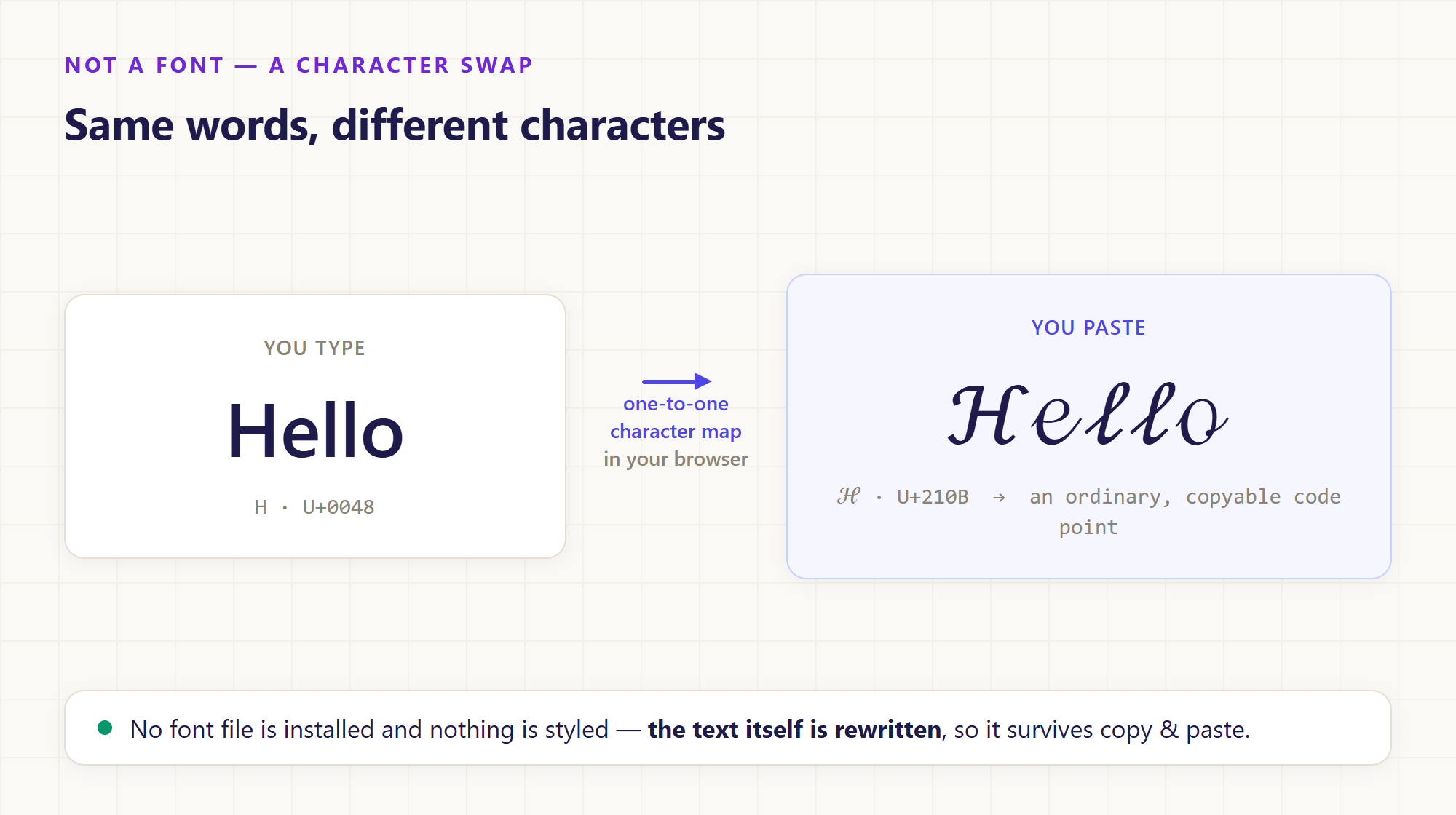 Character substitution in action: each letter is swapped for a script code point, right in the browser — no font file involved.
Why some cursive capitals look different
If every letter simply shifted into the script block, all the capitals would share the same calligraphic style. In regular script, eight of them do not: B, E, F, H, I, L, M, and R (plus the lowercase e, g, o) live in an older neighborhood called the Letterlike Symbols block, where they were placed in Unicode's early years before the mathematical block existed. See Mathematical Alphanumeric Symbols for the full history.
This is why regular-script "Luna" comes out as ℒ𝓊𝓃𝒶 — a legacy ℒ followed by modern script letters — while bold script, which has no legacy exceptions, gives the uniform 𝓛𝓾𝓷𝓪. The receiving font also has a say: some typefaces draw the legacy letters quite differently from the block-script ones.
The practical takeaway: always test your actual name or phrase rather than judging from a sample like "Abc". Capitals such as H, L, and B are common in names, and they are exactly the letters most likely to look mismatched.
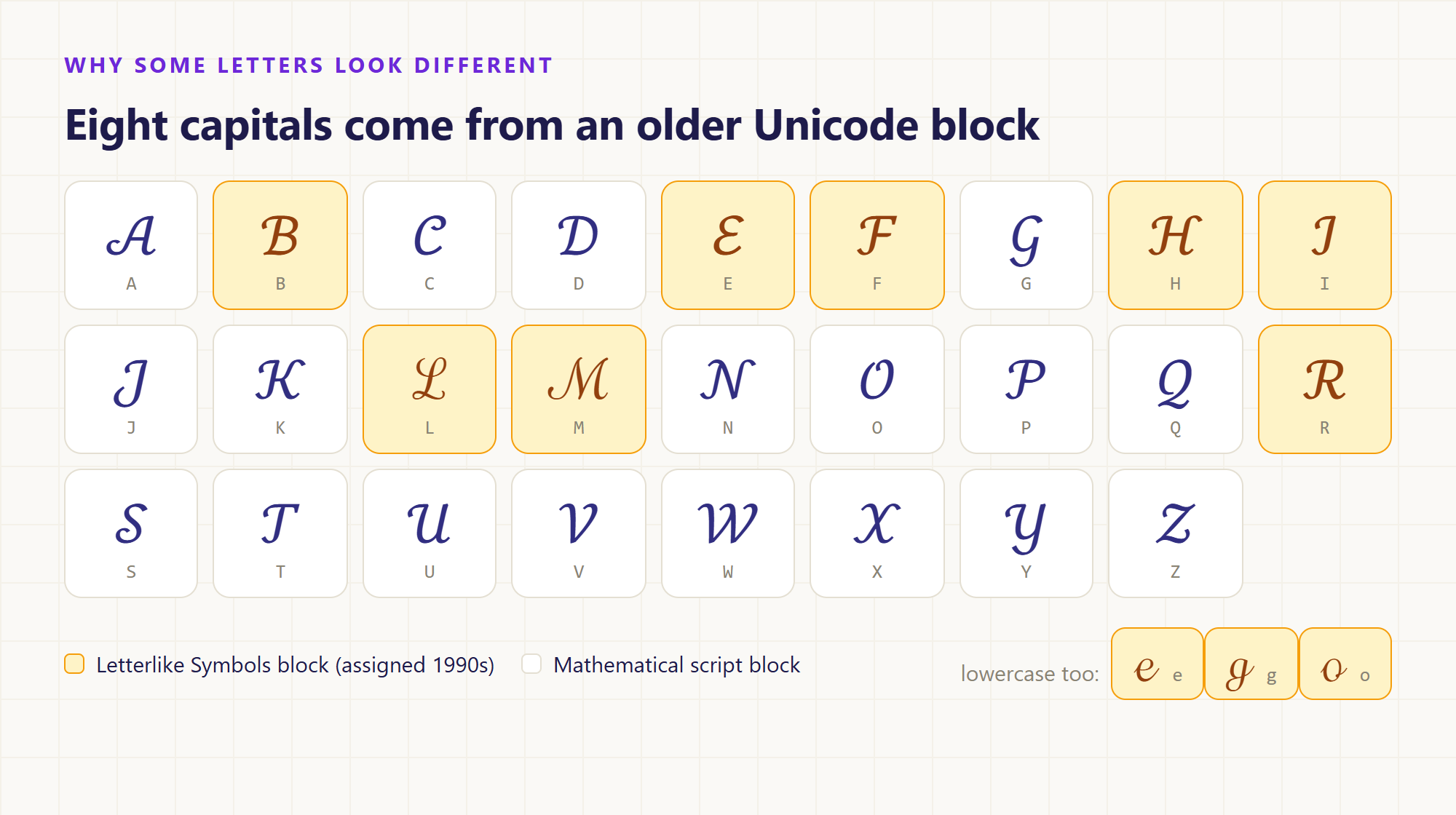 Eight capitals and three lowercase letters are drawn from the older Letterlike Symbols block — the amber tiles are the ones most likely to clash with their neighbors.
Why the numbers never turn cursive
Unicode defines no script-style digits. The mathematical collection includes fancy digits for bold, monospace, and a few other styles, but not for the script alphabets — so a cursive text generator has nothing to map 0–9 onto. Our tool leaves digits and punctuation exactly as you typed them.
A phrase like "Class of 2026" therefore comes out mixed: 𝒞𝓁𝒶𝓈𝓈 ℴ𝒻 2026, with script letters and ordinary numbers sharing a line. The same pass-through applies to anything without a mapping, including Chinese characters, Japanese kana, and precomposed accented letters such as é. Convert "José" and only some letters change, so it is worth inspecting accented names before pasting them.
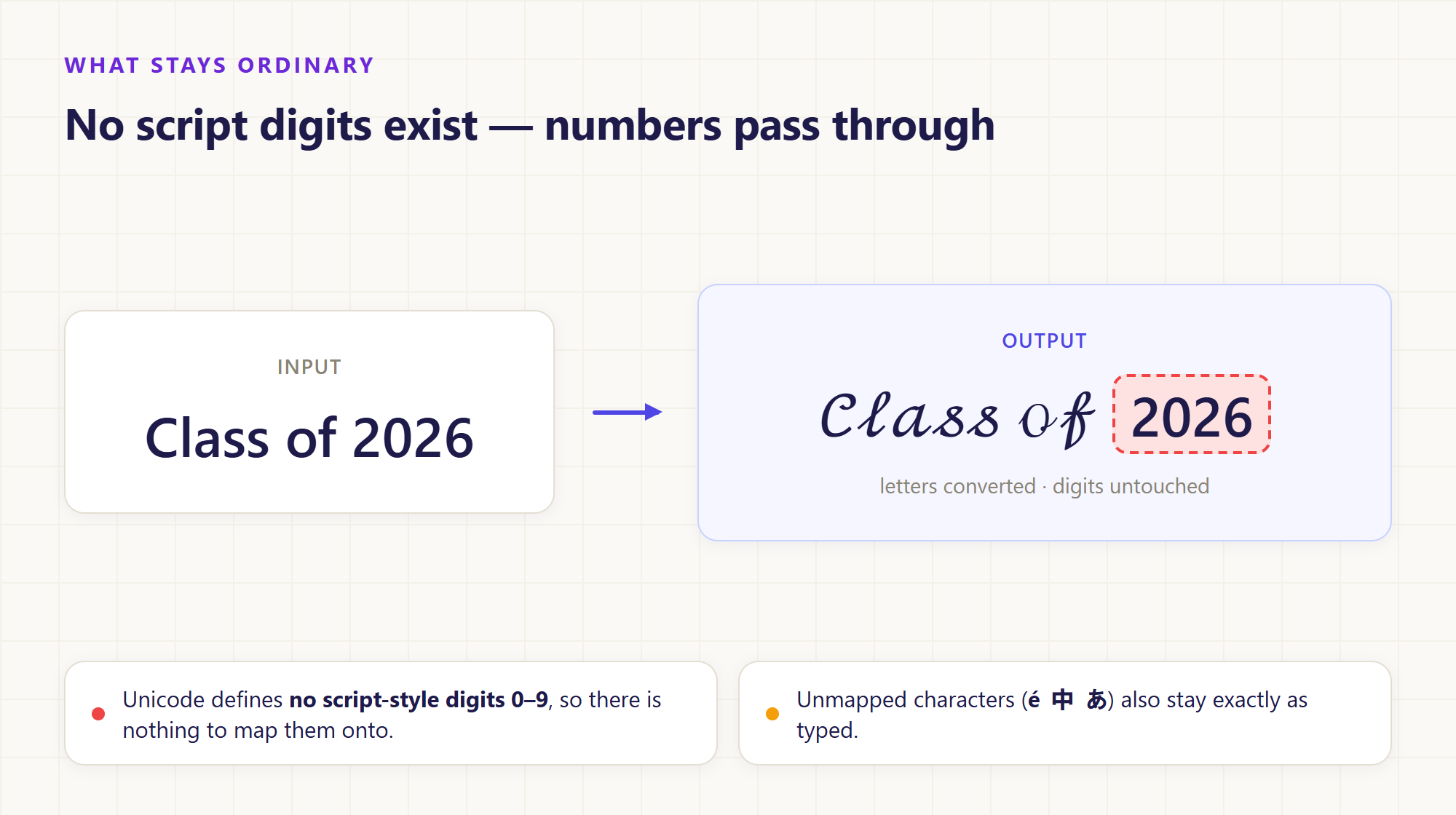 "Class of 2026" keeps its digits: Unicode defines no script forms for 0–9, and unmapped characters such as é, 中, or あ also pass through unchanged.
Where cursive text works — and where it breaks
Pasted script letters behave like normal text in bios, display names, chat messages, and documents. But treating them as "normal text" has consequences worth knowing before you commit a name to them.
- Search stops matching. Searching for "luna" will not find 𝓛𝓾𝓷𝓪, because the underlying characters are different. A decorative display name is fine; the same trick in a username, hashtag, or anything people need to find will hide it from discovery.
- Screen readers struggle. Assistive technology may read the letters as mathematical symbols or skip them entirely. Keep essential information — contact details, prices, safety instructions — in ordinary text.
- Rendering depends on the destination. If the platform's font lacks the script glyphs, readers see boxes or a mismatched fallback. Check the result in the actual app, at the actual size, before sending.
- Platforms may reject or normalize it. Some services restrict non-ASCII characters in handles even when the display-name field accepts them.
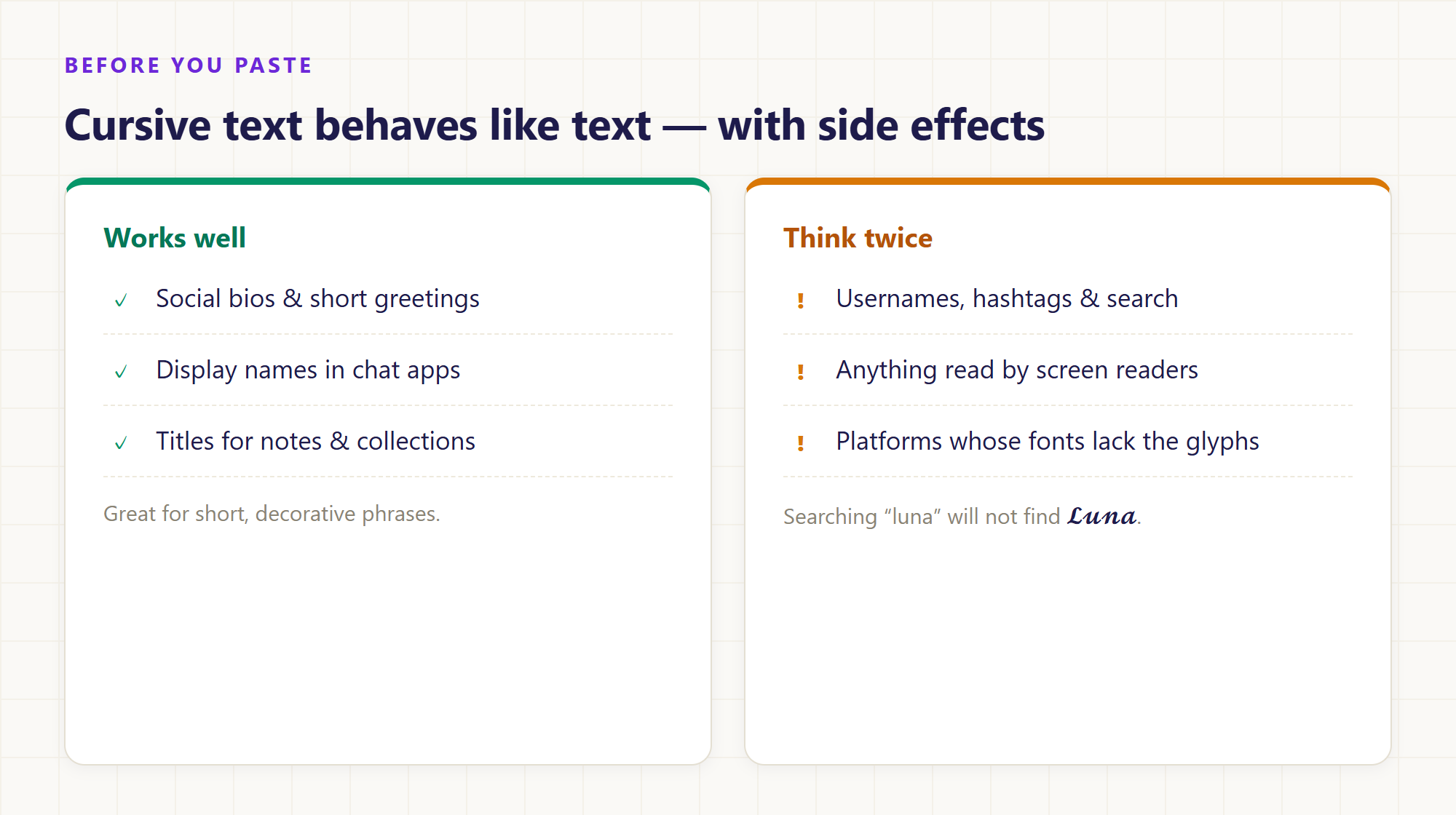 A quick checklist before pasting: decorative accents work best, while anything searchable or read aloud should stay in ordinary letters.
What cursive text is not
The output is decorative text, not a personal artifact. The generator uses fixed character mappings, so it does not reproduce your handwriting or learn from a sample. A script-style sign-off like 𝒲𝒾𝓉𝒽 𝓁ℴ𝓋ℯ looks personal, but it is no more a signature than typed text in italics — do not rely on it where identity matters.
It is also not a font file or an image. You cannot resize it like artwork, restyle it like a font, or print it with precise positioning. For layout work, use a design tool; for decorative phrases in text fields, this is the faster path.
Try it in two steps
- Type or paste your text into the cursive text generator. Both rows convert instantly in your browser — the text never leaves your device, and each conversion handles up to 2,000 characters.
- Compare the Cursive and Bold Cursive rows using your real name or phrase, copy the one that reads best at small sizes, and paste it where you need it.
Want more than two styles? The fancy text generator shows all twenty styles at once — gothic, circled, fullwidth, upside-down, and more — and our text tools guide explains which one fits which job.
Common Questions and Answers
Is cursive text a font? No. It is a set of lookalike Unicode characters from the mathematical script alphabets. Nothing is installed and no styling is applied; the text itself is rewritten. That is why it survives copy and paste — and why its look depends on whatever font the receiving device uses to draw those characters.
Why do some capitals look different from the rest? Eight capitals (B, E, F, H, I, L, M, R) plus lowercase e, g, o were assigned old code points in the Letterlike Symbols block before the script block existed, so their glyphs come from a different source. Fonts may draw them in a slightly different style, which is why testing your real name matters.
Can I convert numbers to cursive? No. Unicode has no script-style digits, so a cursive text generator cannot map them. Digits and punctuation pass through unchanged, so "Class of 2026" becomes a mix of script letters and ordinary numbers. If you need stylized digits, the fancy text generator offers styles that include them, such as bold or circled.
Does it work with Chinese or Japanese text? No. These styles cover Latin letters only. Chinese characters, kana, and other unmapped characters remain exactly as entered, so mixed-language input keeps its original characters. The tool also does not generate Chinese calligraphy or Japanese handwriting — it replaces Latin letters, nothing else.
Is cursive text bad for search or accessibility? It can be. Search engines and screen readers treat the letters as distinct mathematical characters, so 𝓛𝓾𝓷𝓪 is not found by searching "luna" and may be read aloud as symbols. Use cursive text as an accent for short decorative phrases, and keep anything people must find, read, or rely on in ordinary letters.
Is there a length limit? Yes. The generator converts the first 2,000 characters of your input and shows a notice if the text is longer; copy uses that same partial result. For longer passages, convert and paste section by section. The input stays on the page while you switch between tools, until you clear it or reload.
Final thoughts
Cursive text looks like magic and works like a dictionary: every fancy letter is a pre-defined Unicode character swapped in for the ordinary one. Once you know that, the quirks stop being surprises — the odd capitals are historical leftovers, the unconverted numbers are missing map entries, and the broken rendering is just a font that never included those glyphs.
Use the style where it shines: short, decorative phrases in places that accept plain text. Test your real name in both weights, keep essential information ordinary, and you get the handwriting aesthetic without any of the surprises. Start with the cursive text generator — type your name and see both versions in a second.
Want to explore more text styles? Try the fancy text generator for twenty Unicode styles in one place, all converted locally in your browser.